“Free EPOS software” can describe several very different offers: a time-limited trial, a basic edition, software subsidised through payment processing, or a genuinely free local till with optional paid services.
The word free is only useful when you know what remains usable, what you must buy and what conditions apply.
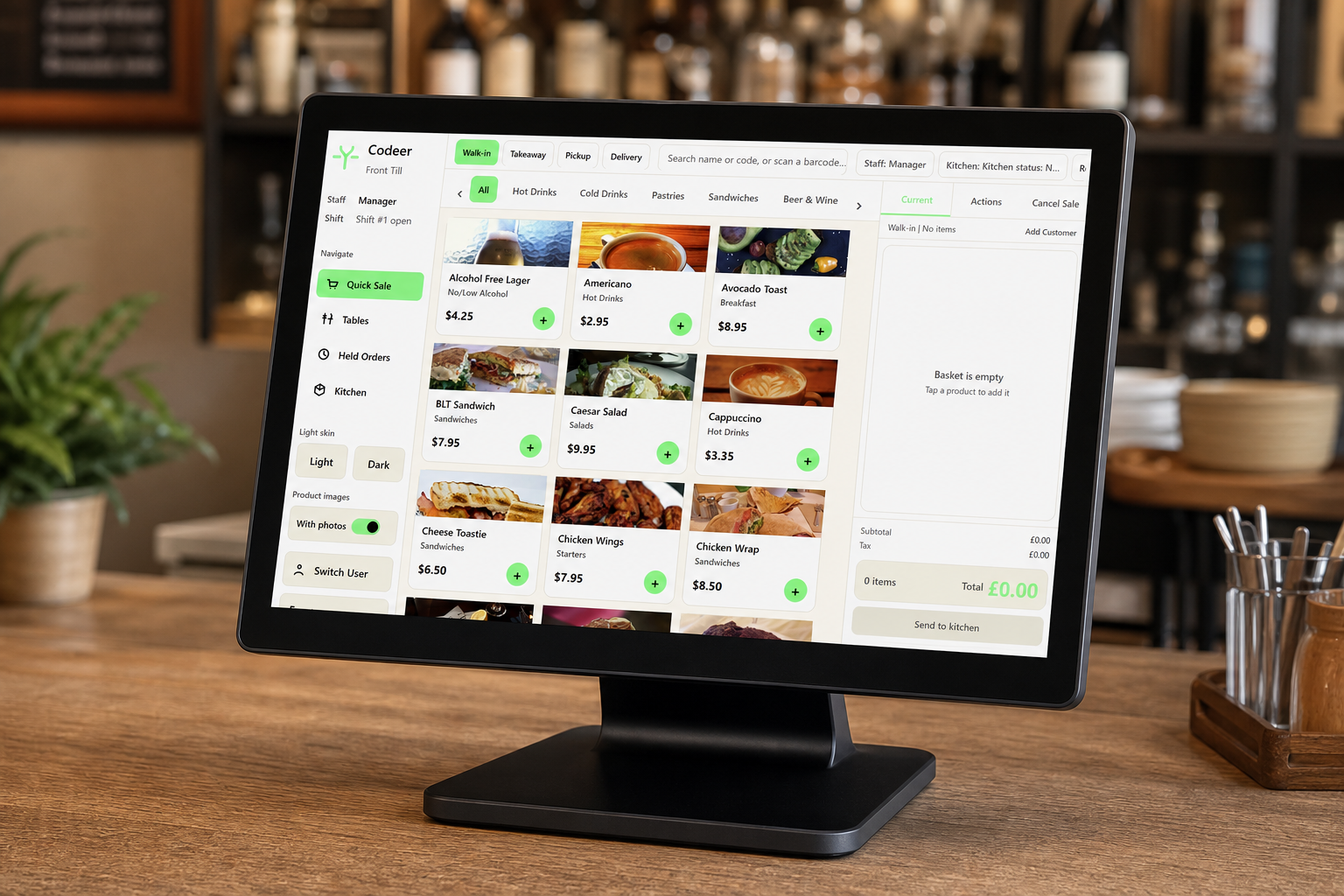
Looking for a download? Codeer’s free Windows EPOS software for hospitality is currently offered as a pilot for a supervised venue trial. Register with your business email, then use the same email to activate the till online after installation. The offer is for the software, not a free touchscreen, printer or card terminal.
Four common free models
Time-limited trial
The complete product works for a short period and then requires payment. Trials are useful for evaluation, but they are not a permanent free system. Ask what happens to your data when the trial ends.
Feature-limited edition
Core selling remains free while advanced reporting, multiple tills, cloud access or support require payment. This can suit a small venue if the included functions are genuinely sufficient.
Payment-subsidised software
There may be no explicit software charge because revenue comes from card processing or terminal rental. Compare the total payment cost and contract terms, not just the software line.
Free local software
The application can remain installed and run locally without an ongoing software subscription. Hardware, assisted setup, backups, updates or cloud services may still be chargeable.
What should a useful free till include?
At minimum, check for:
- Product and category setup
- Cash and card payment recording
- Receipts
- User access
- Refund and void controls
- Daily sales totals
- VAT or tax-category reporting
- Data export or backup
- Clear licence terms
Hospitality businesses may also need modifiers, open orders, tables, tabs and kitchen printing. Retailers may need barcodes and stock functions.
Match the trial to the business: use the café coffee-order and cash check for milk choices and extras, or the Indian restaurant checklist for a venue combining tables with collections. Shop owners can use the retail barcode, stock and returns demo brief, but should request a separate retail quote: Codeer’s free Hospitality download is not a confirmed free retail offer.
What free takeaway EPOS software should include
For a takeaway, basic payment recording is not enough. A usable free takeaway EPOS system should let staff capture the confirmed order clearly and pass it to preparation without rewriting it. Test whether the included edition supports:
- Collection and delivery order types
- Product sizes, meal choices, extras and preparation notes
- Customer name, agreed time and relevant fulfilment details
- A readable kitchen ticket or kitchen display workflow
- Cash and card payment recording
- Refunds, corrections and an end-of-day report
Check each point against the free edition—not a paid demonstration account. Also confirm whether menu size, printers, users or order volume are restricted. For a detailed operational example, see Codeer’s free takeaway EPOS software for Windows.
Try a £17.50 collection order before you rely on the till. Use two £8 mains: one mild and one hot, with a £1.50 extra on the hot dish only. Give the order a collection time. Ask someone in the kitchen to read it back without seeing the till: can they tell which dish has the extra and when it is due? Remove the extra before payment. The till should now show £16, and the kitchen should be able to distinguish the correction from a second order. Check whether that last step is automatic, manual or needs an optional extra. Use the same order with each supplier. See the £17.50 till and kitchen ticket from the Codeer Hospitality pilot.
Costs that can still be legitimate
For food service, follow Codeer’s recorded order-to-kitchen walkthrough: two £8 dishes with a £1.50 extra, followed by a correction on the same kitchen ticket. The page separates the recorded pickup test from the payment and end-of-day checks you still need to run for your venue.
Free software does not make the entire EPOS installation free. You may still need:
- A compatible Windows terminal
- Receipt printer and cash drawer
- Card terminal and processing
- Kitchen or barcode equipment
- Installation and menu entry
- Staff training
- Priority support
- Cloud backup or remote reporting
These charges are not automatically hidden costs. They become a problem when they are unclear, compulsory or tied to a long agreement that was not obvious from the headline.
Questions to ask
- Does the free edition expire?
- Is a particular card processor compulsory?
- How many products, users and tills are allowed?
- Which reports are included?
- Can I back up and export my data?
- Are updates available?
- What support is included?
- What happens if the supplier stops offering the free edition?
- Can I keep using the installed software?
- Which paid service is necessary for my actual workflow?
Test before relying on it
Install the software on the equipment you intend to use and run a complete trading day in test mode. Include refunds, printer failures, internet loss and end-of-day reconciliation.
Read the licence and privacy information. Keep your own copy of essential configuration and exports. “No monthly fee” should not mean “no recovery plan.”
When free is the right choice
A free local edition is a sensible starting point for an independent business that needs reliable core selling, owns compatible hardware and does not yet require complex multi-site management.
A paid system may be better when the venue needs guaranteed out-of-hours support, managed hardware replacement, sophisticated integrations or a cloud service used by several locations.
Compare the complete figures using how much an EPOS system costs in the UK. Then verify the physical requirements with the EPOS hardware checklist. If you run food service, compare the workflows offered by Codeer's free takeaway EPOS software and free restaurant EPOS software.