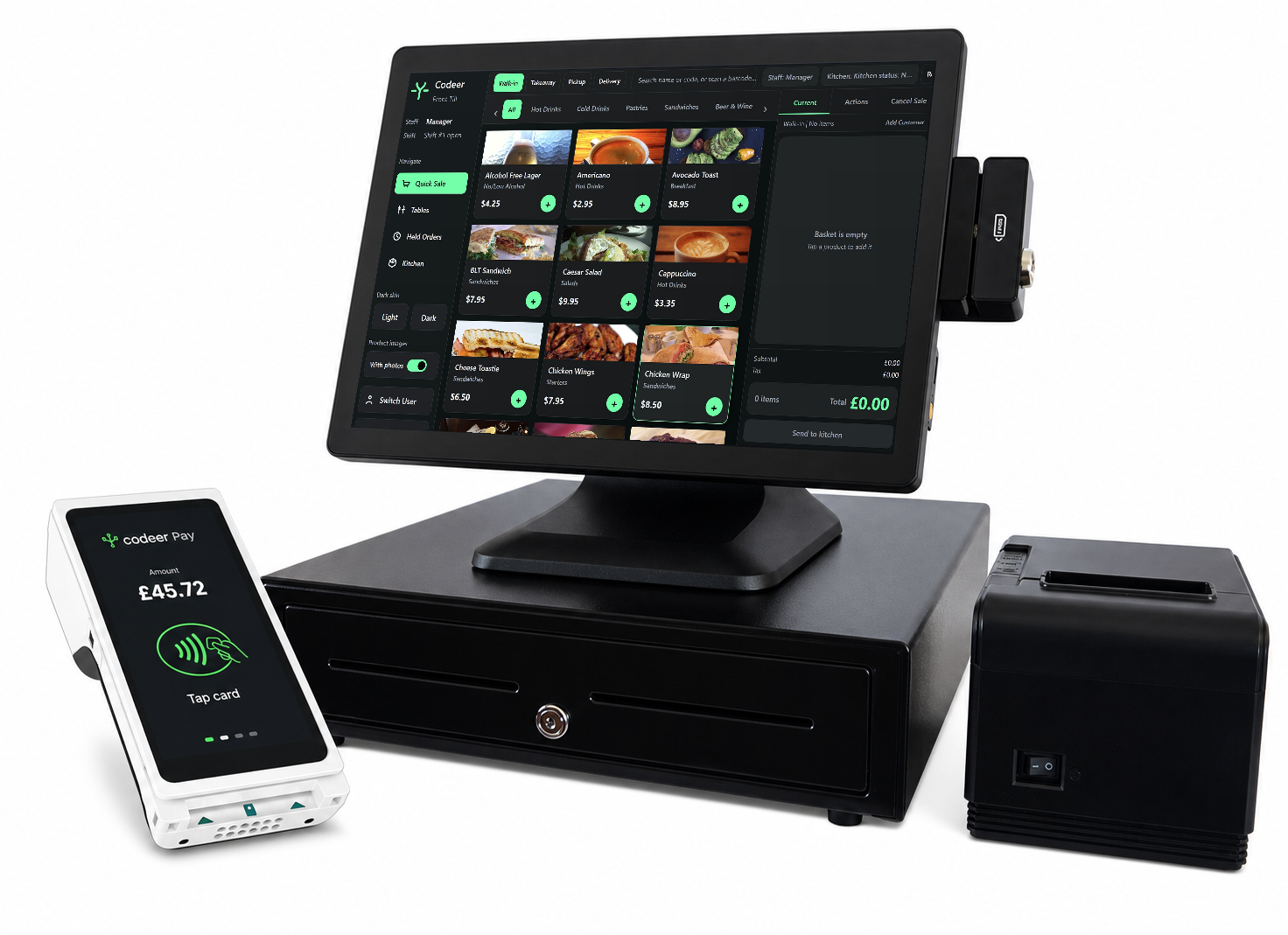
Windows tillRuns on dependable counter hardware with the sales flow tuned to your venue.Offline-readyKeep taking orders at the counter when connectivity is under pressure.Xero exportsDaily sales and closeout data can be prepared for cleaner accounting workflows.Hardware setupTerminal, receipt printer, cash drawer and payment flow configured around your counter.
EPOS for your venue
Hospitality pricing
Free Windows pilot · £0
Local till, kitchen orders and daily close. The next reporting release gives new Free venues 31 days of sales analysis. Historical transactions, receipts, closes and bookkeeping exports remain available. Existing Free installations keep their local reporting.
Cloud (planned) · £10 per venue per month
Planned upgrade with remote reporting, cloud backup and synchronisation, intended to analyse all available sales history and compare periods. Ask about availability; these features are not included in the current local pilot.
Cloud with Menu Assistance (planned) · £15 per venue per month in total
Planned package including Cloud and one batch of up to ten menu changes each month. Ask about availability before ordering.
Initial menu setup · £49 once
Send your menu and prices. Codeer builds up to 50 items with standard modifiers. You can also enter the menu yourself for free.
Trusted by growing hospitality teams preparing for faster service.
RestaurantsBarsCafesRetail counters
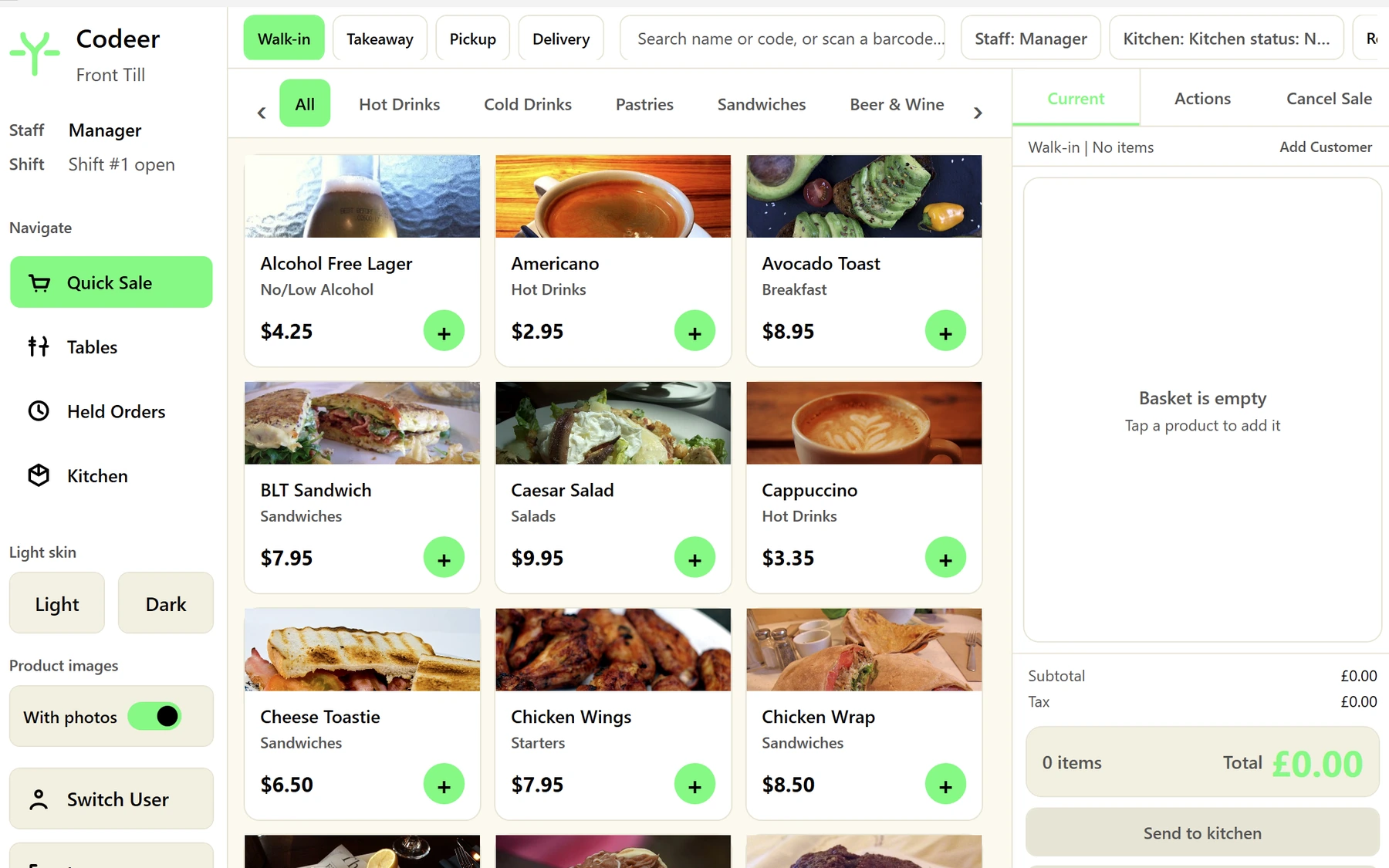
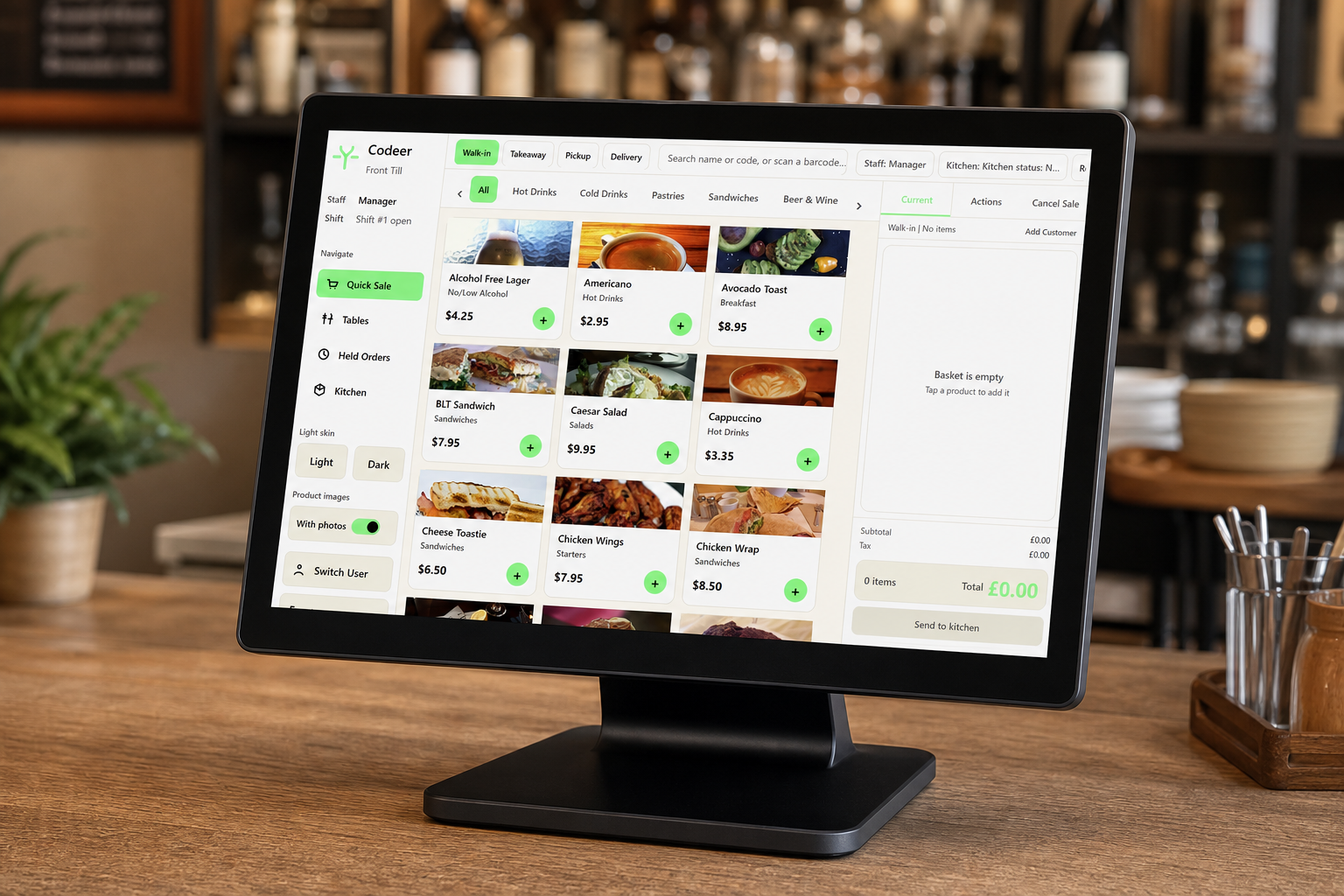
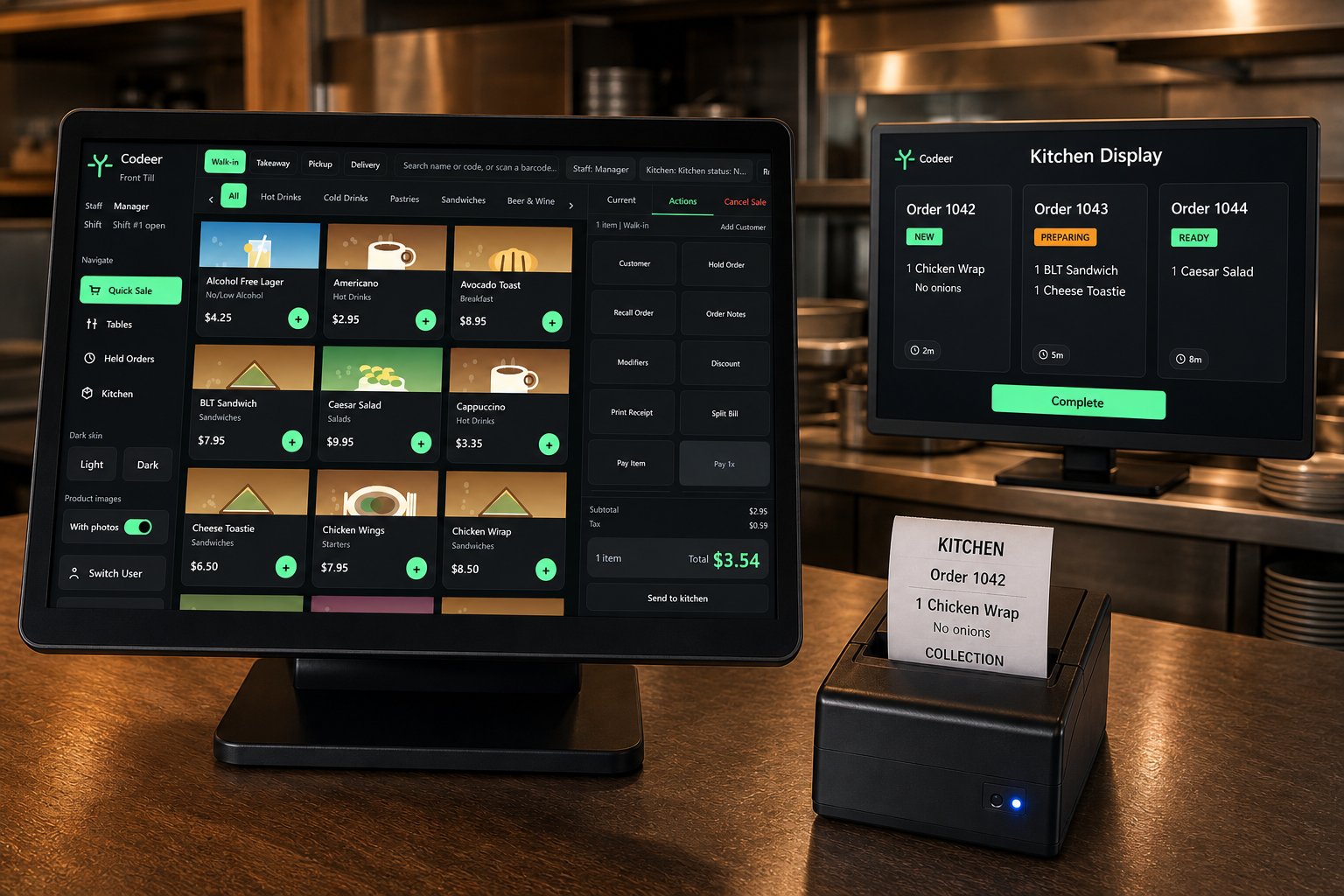
Photo-backed product tilesFast counter sales with real product images, categories and basket controls in view.
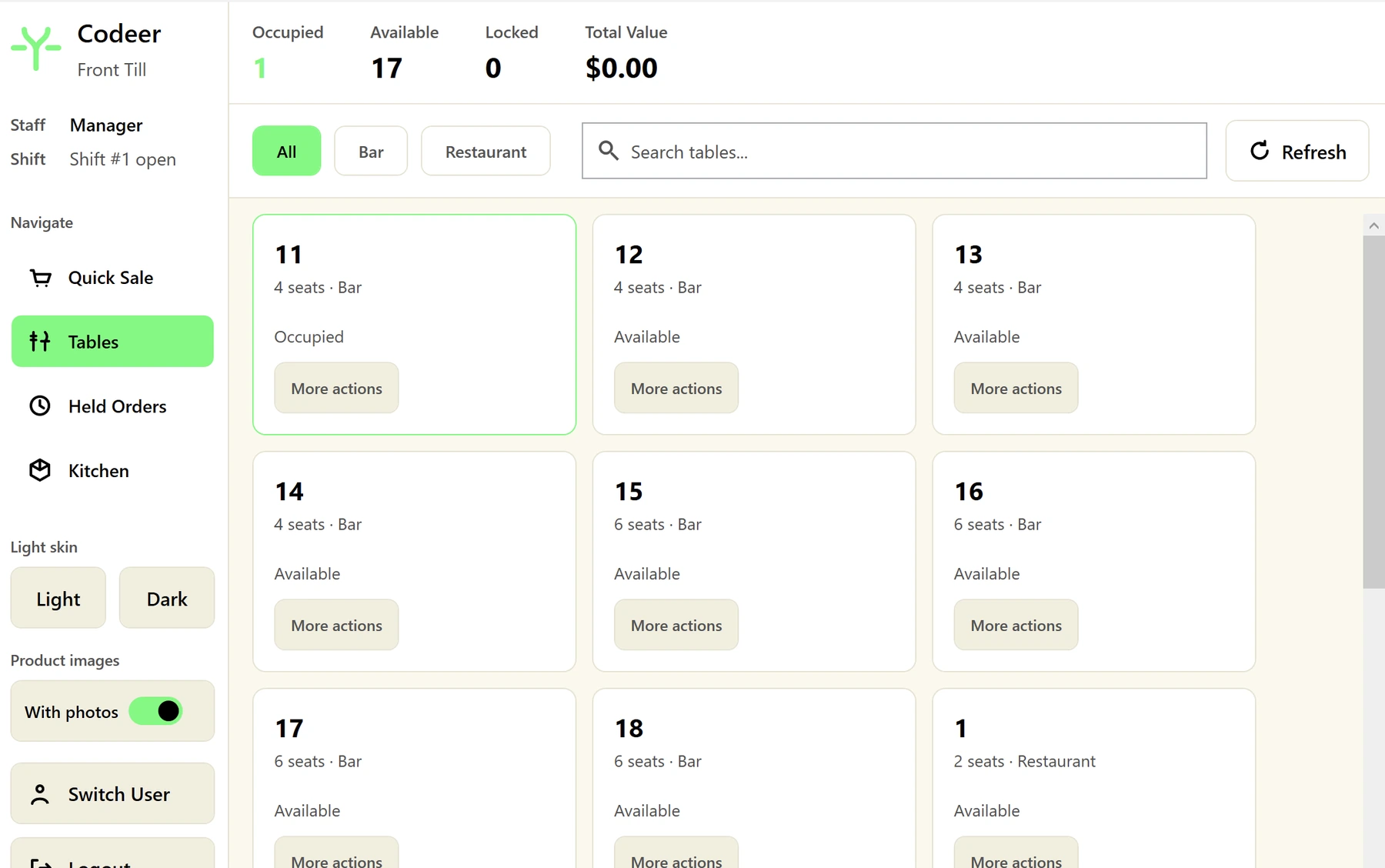
Table serviceTrack occupied, available and locked tables for restaurants and bars.
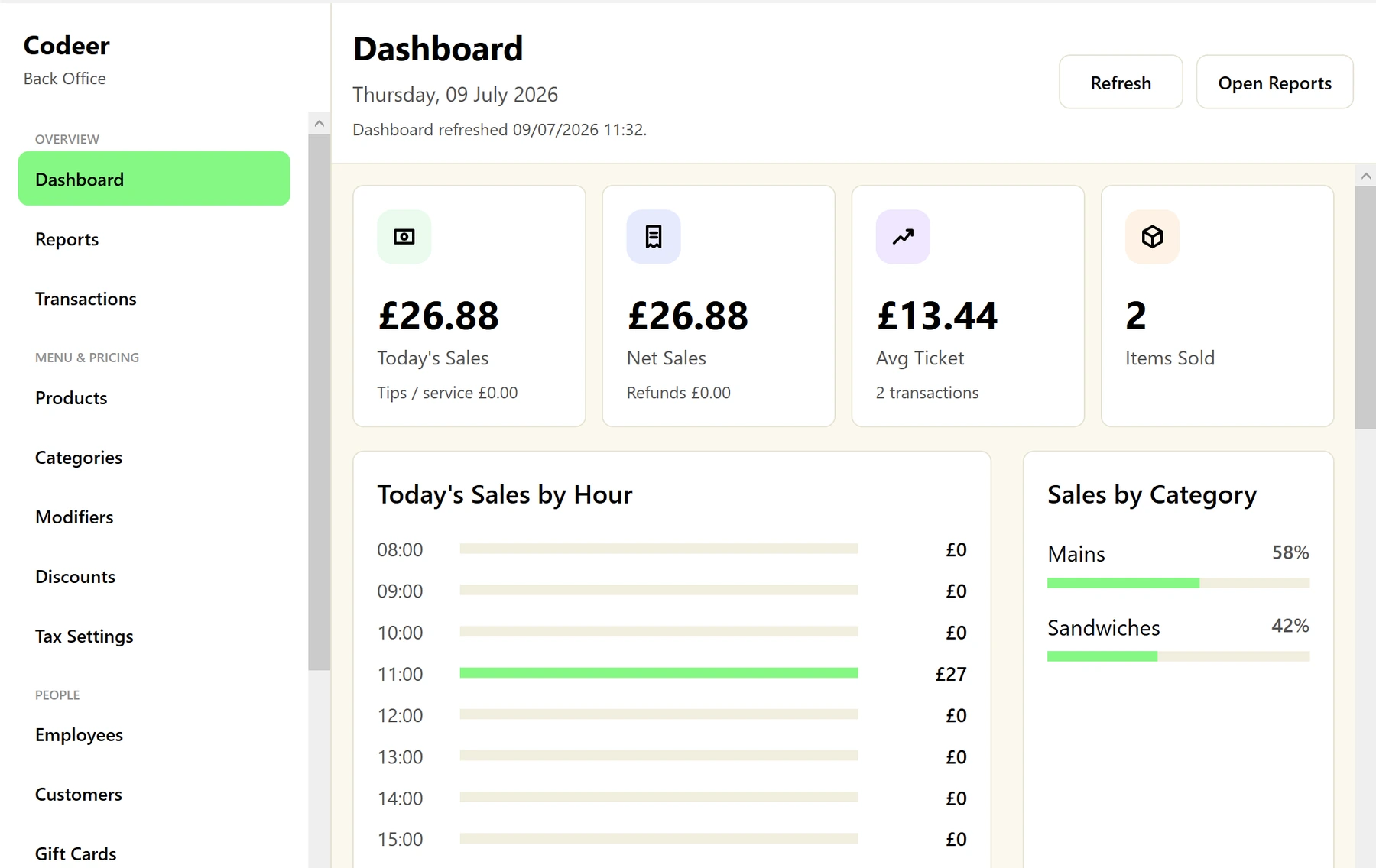
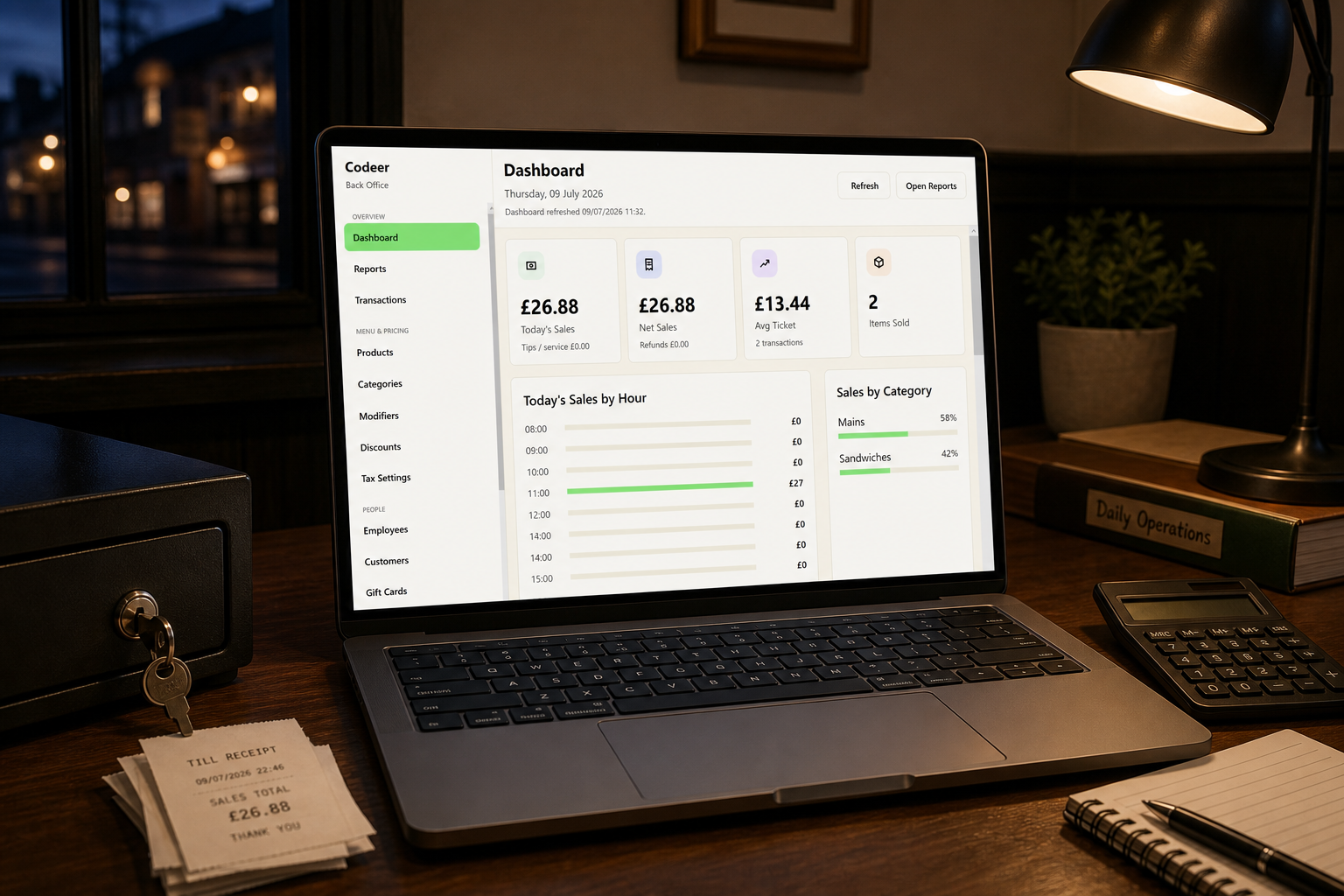
Back-office reportingDaily sales, category split and hourly performance without leaving the system.
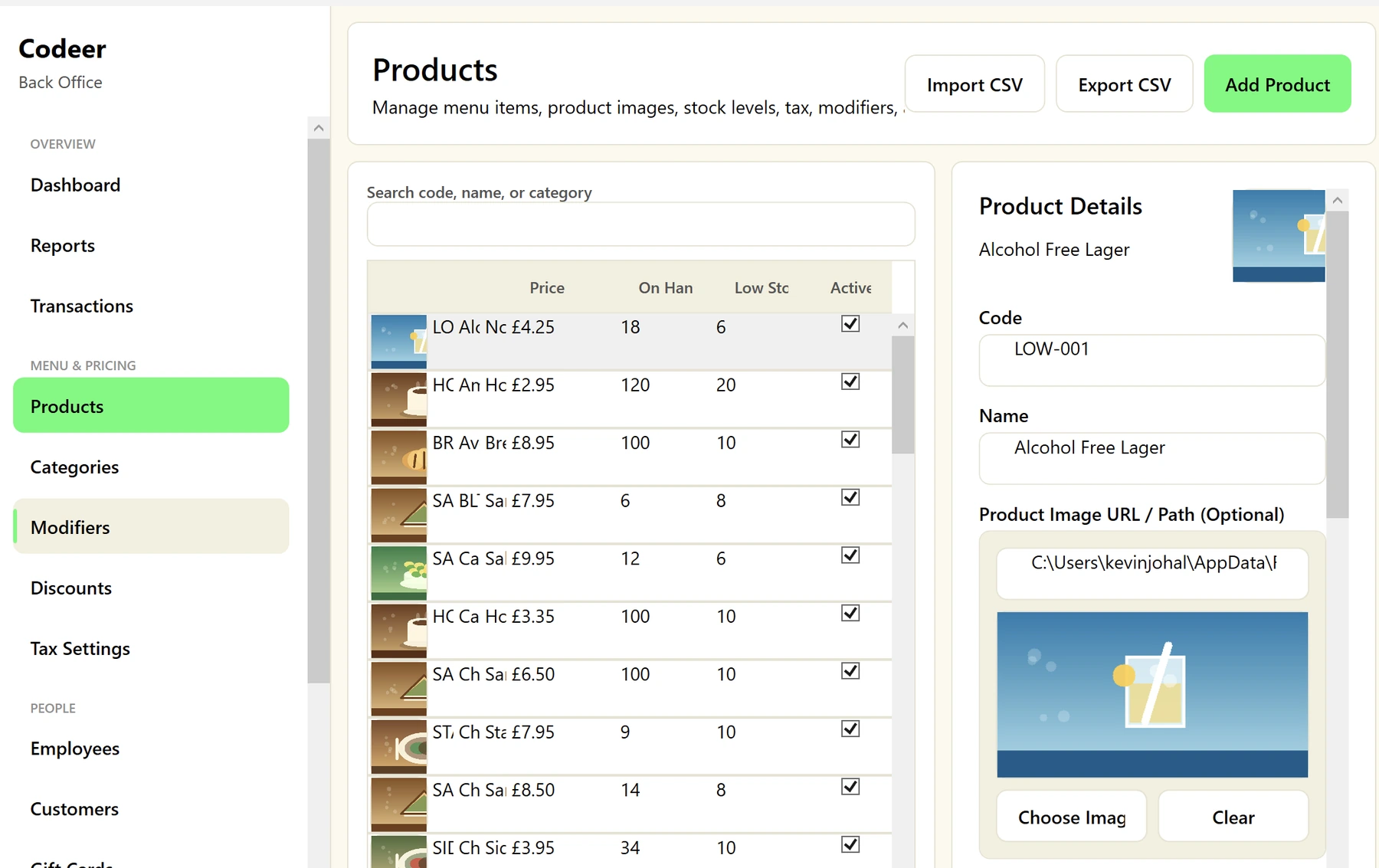
Product managementMaintain pricing, stock levels, product images, tax and modifiers.
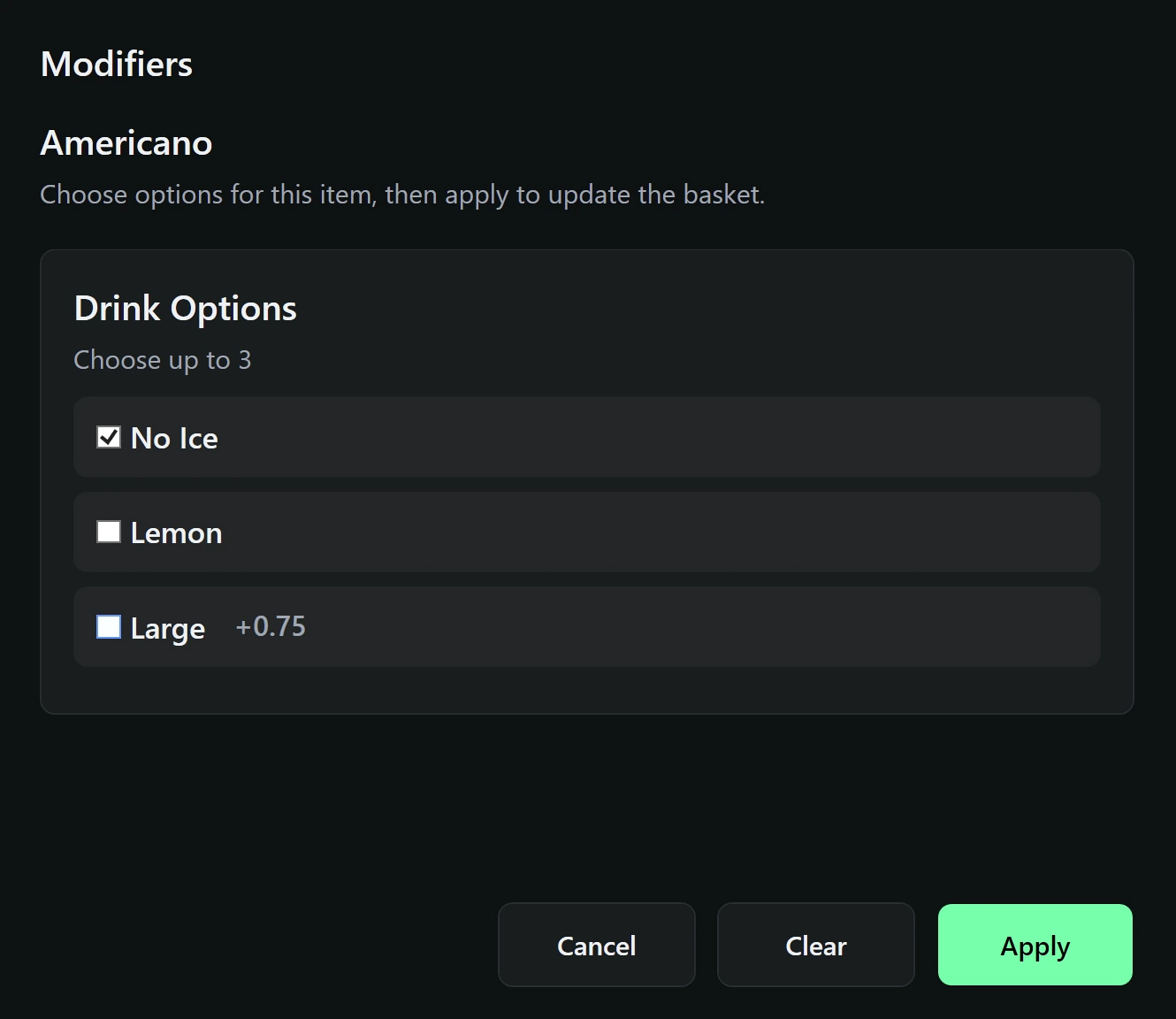
ModifiersApply options like no ice, lemon or size changes before checkout.
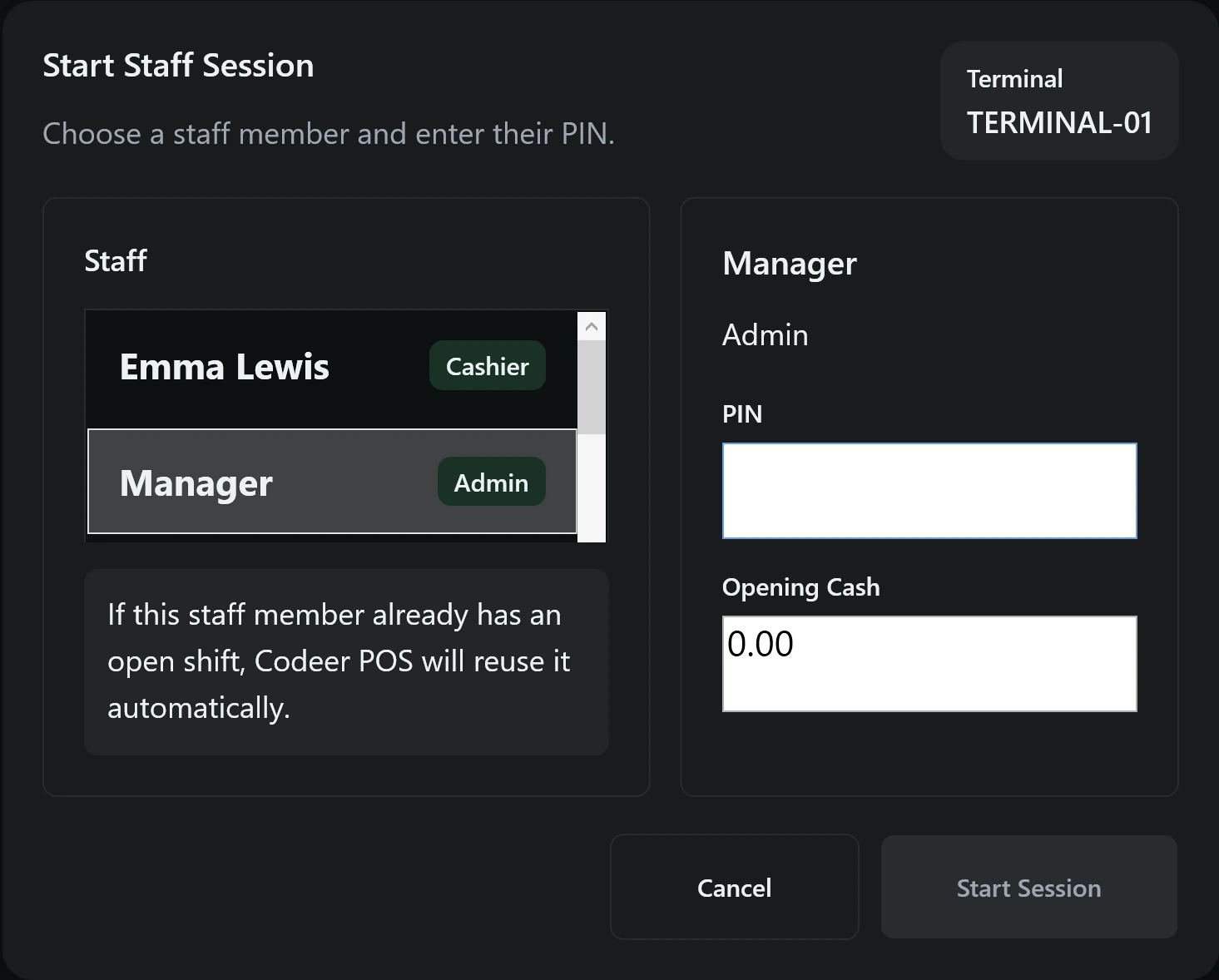
Staff sessionsStart shifts with staff roles, PIN entry and opening cash control.
Everything your counter needs to sell, close and report.
Codeer handles the software and the setup around it, so your team can move from order to payment without wrestling the system.
Fast counter sales
Product buttons, categories and basket actions laid out for quick service during busy periods.
Integrated payments
Card payment flow planned with the counter setup so staff can move customers through faster.
Closeouts and cash-up
End-of-day totals, cash drawer handling and sales summaries designed for cleaner handover.
Back-office reporting
Sales, products and daily performance exported into the systems your business already uses.
Product setup
Menus, retail products, categories and pricing prepared before the till goes live.
Support at launch
Configuration, training and go-live help so the system is ready when your venue opens.
Need hardware and installation?
Alongside the free software download, Codeer offers a separate installation service. Ask us for a quote for your venue.
What’s included
Till terminal
Receipt printer
Cash drawer
Product setup
Payment flow
Reporting
Launch training
Which Codeer EPOS setup fits my venue?
The core Codeer till runs locally on Windows. Compare the workflow you need before choosing hardware or asking for installation. The £0 local software licence is separate from hardware, payment processing and any optional services.
The main till runs on the venue’s Windows device. Test the printer, card terminal and any cloud services separately before relying on them during an outage. The offline EPOS guide explains what to check.
Can Codeer connect the till to another system?
Bring a sample export, the name of the destination system and an example of the report or handover you need. Codeer can assess bespoke software and integrations separately from the standard till setup.
How does Codeer compare with other free EPOS software for hospitality?
If you already have a Windows till, start with the handover to the cook. Can they see which curry is hot, which one has the extra, and when the customer will collect? See Codeer’s £17.50 collection order.
Provider
What’s free
Kitchen setup and extras
Codeer Hospitality
Local Windows pilot and on-screen kitchen tickets.
Try your menu on a compatible Windows PC. Budget separately for hardware, physical printing equipment, card processing and any assisted setup. Get the pilot.
Aronium Lite
One computer, inventory and receipt printing.
Sending kitchen and bar orders to different printers uses the Print Stations plug-in, listed at US$5 per store per month. Aronium features and pricing.
Loyverse
POS and kitchen display are both free.
A useful option if you already have compatible mobile devices. Employee management and access to sales history beyond 31 days are paid add-ons. Loyverse pricing.
Square Free (UK)
£0 monthly POS plan with payment processing charged per transaction.
Square lists kitchen display software from £15 per device per month. Its published in-person fee for a UK card is 1.75%, about 31p on £17.50. Square UK pricing.
Provider terms checked 9 November 2026. A digital kitchen ticket, a customer receipt and a ticket printed at a kitchen station are three different outputs.
Practical buying advice
Research your EPOS properly.
Compare costs, hardware, setup, resilience and reporting before you commit to a till or payment contract.
Illustrative hospitality setups using genuine Codeer till and Back Office interface captures.
Front till · Illustrative setup using the Codeer interface.Kitchen workflow · Illustrative setup using the Codeer interface.Reporting · Illustrative setup using the Codeer interface.