Run the pub or bar till locally on your own compatible Windows device.
Free pub and bar EPOS for Windows
Free pub and bar EPOS software for faster service
Run bar sales, tabs, table orders, drinks menus, receipts and shift reports from one Windows till for £0. Codeer Pub and Bar EPOS works locally on your own device, with a planned Cloud upgrade at £10 per venue/month; ask about availability before relying on remote access.
Free Windows pilot · Register with your business email · No payment card
Codeer Pub & Bar EPOS · Front tillWindows · Local mode
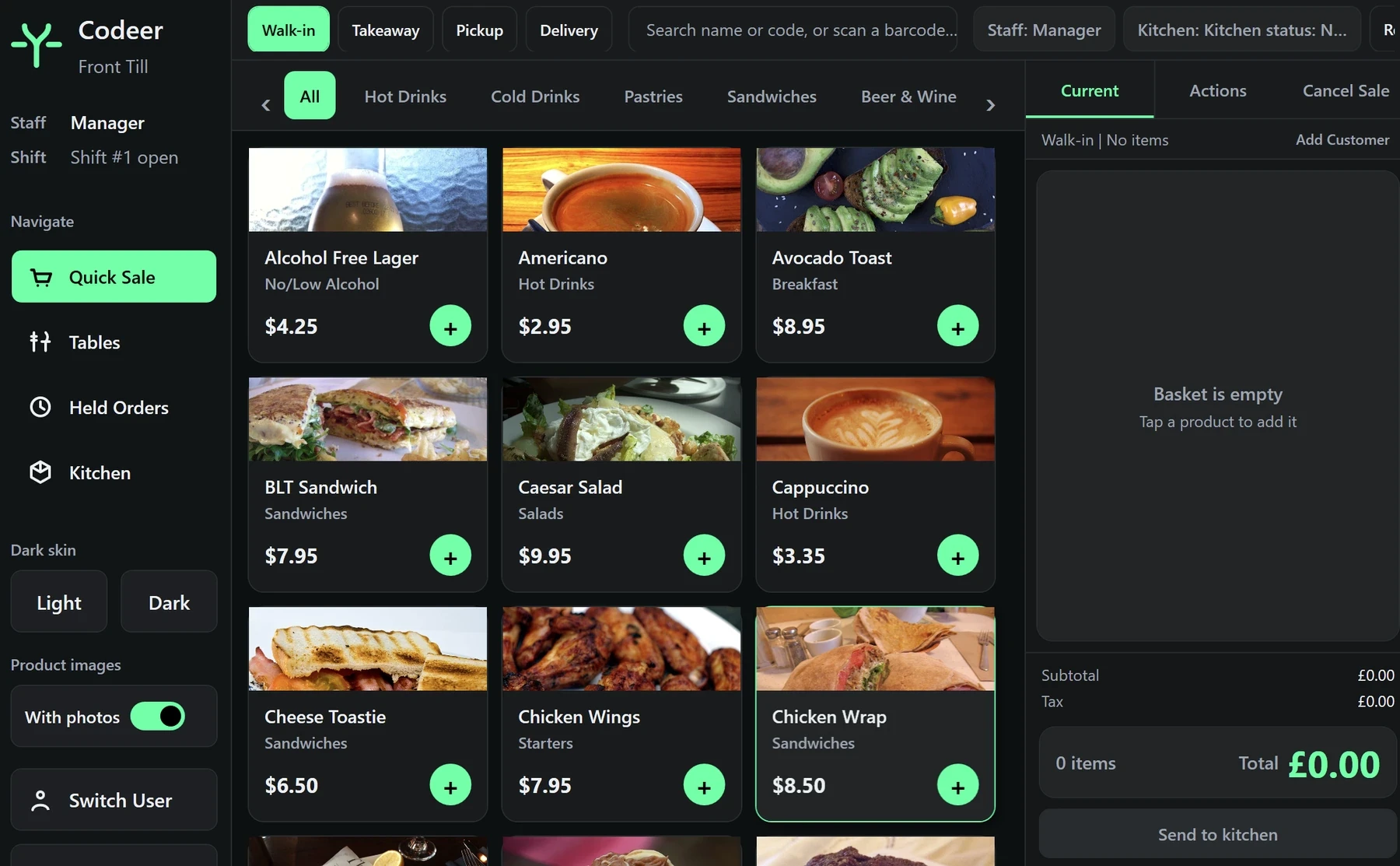
Planned Cloud upgrade per venue. See all Hospitality plans below.
Choose a prepared touchscreen till, cash drawer and receipt printer setup.
Hospitality pricing
- Free Windows pilot · £0
- Local till, kitchen orders and daily close. The next reporting release gives new Free venues 31 days of sales analysis. Historical transactions, receipts, closes and bookkeeping exports remain available. Existing Free installations keep their local reporting.
- Cloud (planned) · £10 per venue per month
- Planned upgrade with remote reporting, cloud backup and synchronisation, intended to analyse all available sales history and compare periods. Ask about availability; these features are not included in the current local pilot.
- Cloud with Menu Assistance (planned) · £15 per venue per month in total
- Planned package including Cloud and one batch of up to ten menu changes each month. Ask about availability before ordering.
- Initial menu setup · £49 once
- Send your menu and prices. Codeer builds up to 50 items with standard modifiers. You can also enter the menu yourself for free.
Choose your hospitality business
View all EPOS optionsPub EPOS that keeps service moving when the bar fills up
The workflow brings quick drinks sales, customer tabs, tables and staff access together so the team can serve confidently without paying for unnecessary cloud software.
Fast drinks and product screens
Arrange draught, bottles, spirits, mixers, food and popular combinations into clear categories so staff can find items quickly during a busy service.
Tabs, tables and held orders
Open a customer tab, hold an order or manage table service without losing sight of the current basket. Keep different service styles inside the same till.
Staff access and shift control
Give staff appropriate till access and keep shift information organised. Product, category and price changes stay in one straightforward workspace.
Receipts and sales reporting
Review transactions, sales by hour, average spend and category performance locally. Cloud is planned to add remote reporting and synchronisation; ask about availability.
One free till for different licensed venues
Codeer is designed for independent UK pubs and bars that want practical EPOS without another compulsory monthly software bill.
Traditional pubsIndependent barsMicropubsCocktail barsTaprooms and breweriesSocial clubs and venues
Free pub and bar EPOS questions
Is Codeer Pub and Bar EPOS really free?
Yes. The core Windows till is £0 to run locally. Hardware and additional services cost extra. Cloud is a planned upgrade at £10 per venue/month; ask about availability.
How do I get the pub EPOS software installed?
Register for the free Windows pilot, download the installer and open it on your till. Activate Codeer POS Command Centre online with the same business email. For assisted installation, contact Codeer for a quote.
Can the software manage tabs and table orders?
Yes. Staff can hold orders, manage customer tabs and handle table or counter service from the same till workflow.
Can I use an existing Windows till or laptop?
Yes, if it is a compatible 64-bit Windows 10 or Windows 11 device. You can also choose a prepared touchscreen till package.
What is planned for Cloud, and is it available?
Cloud is a planned upgrade at £10 per venue/month, intended to add online backup, synchronisation and remote reporting. Ask about availability before depending on these features. It is not required to run the free local till.
Will the bar till work without constant internet?
The core till is designed to run locally, so day-to-day selling is not dependent on a constant cloud connection. Online services require internet access.
Try the free pub or bar EPOS pilot
Register once to download the Windows installer. For help with hardware or installation, contact Codeer.
Codeer pub EPOS · Real software screens and a practice round
From an open pub tab to a checked cash-up
Choosing a pub till? Start with the jobs your bar staff repeat: hold a round, recall the right tab, settle it and leave the next shift a clear record. These Codeer screen captures show where to look. The £15 exercise below gives you figures to check in your own trial.
What these images prove: they show the actual Codeer Tables, Actions and Back Office screens from an earlier demonstration build, not generated equipment mock-ups. They are separate captures, not a recorded £15 transaction. Some demo screens use dollars; the pound figures below are a separate UK example. Layouts can differ in the current pilot.
1. Keep the round attached to the right table or tab
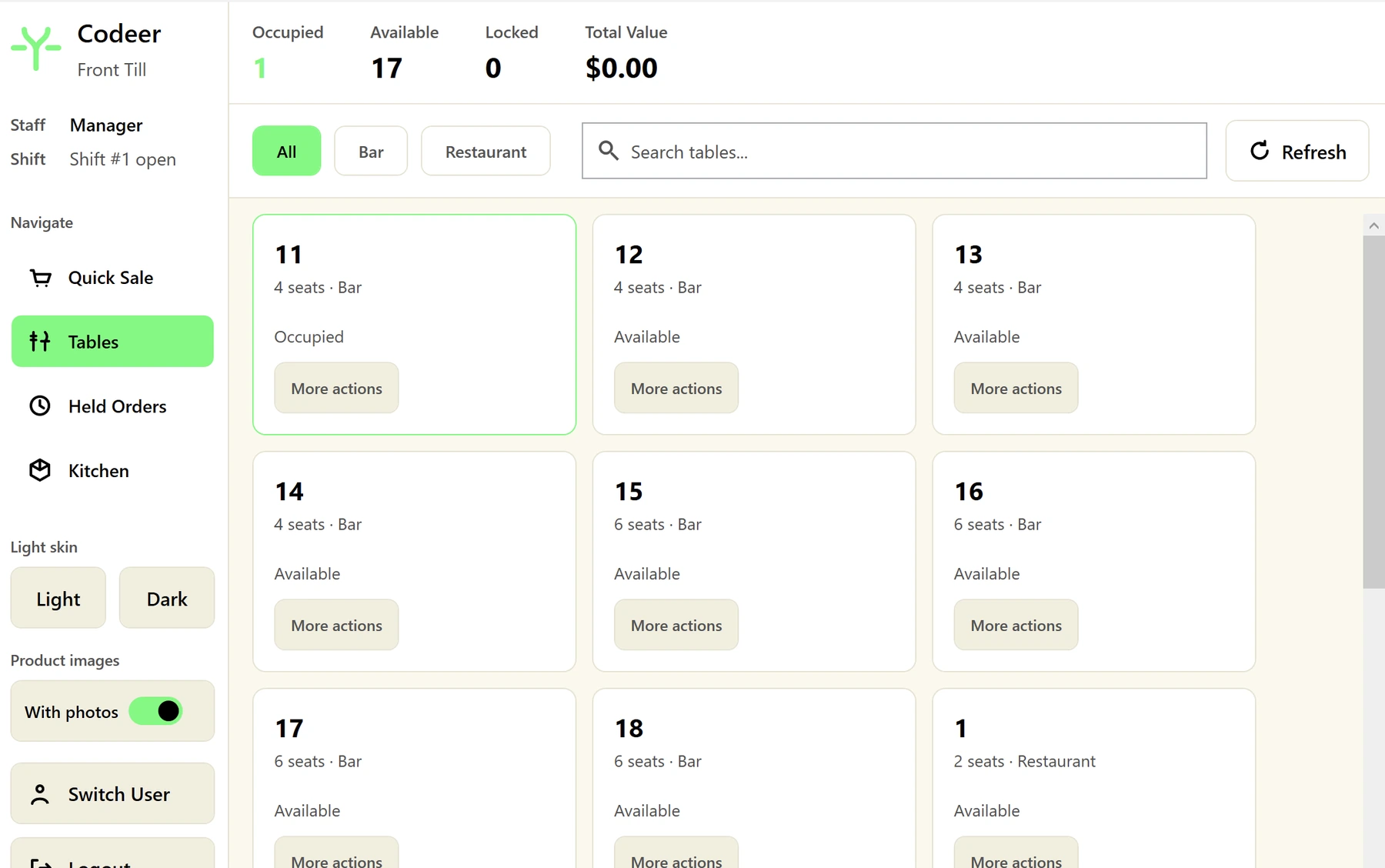
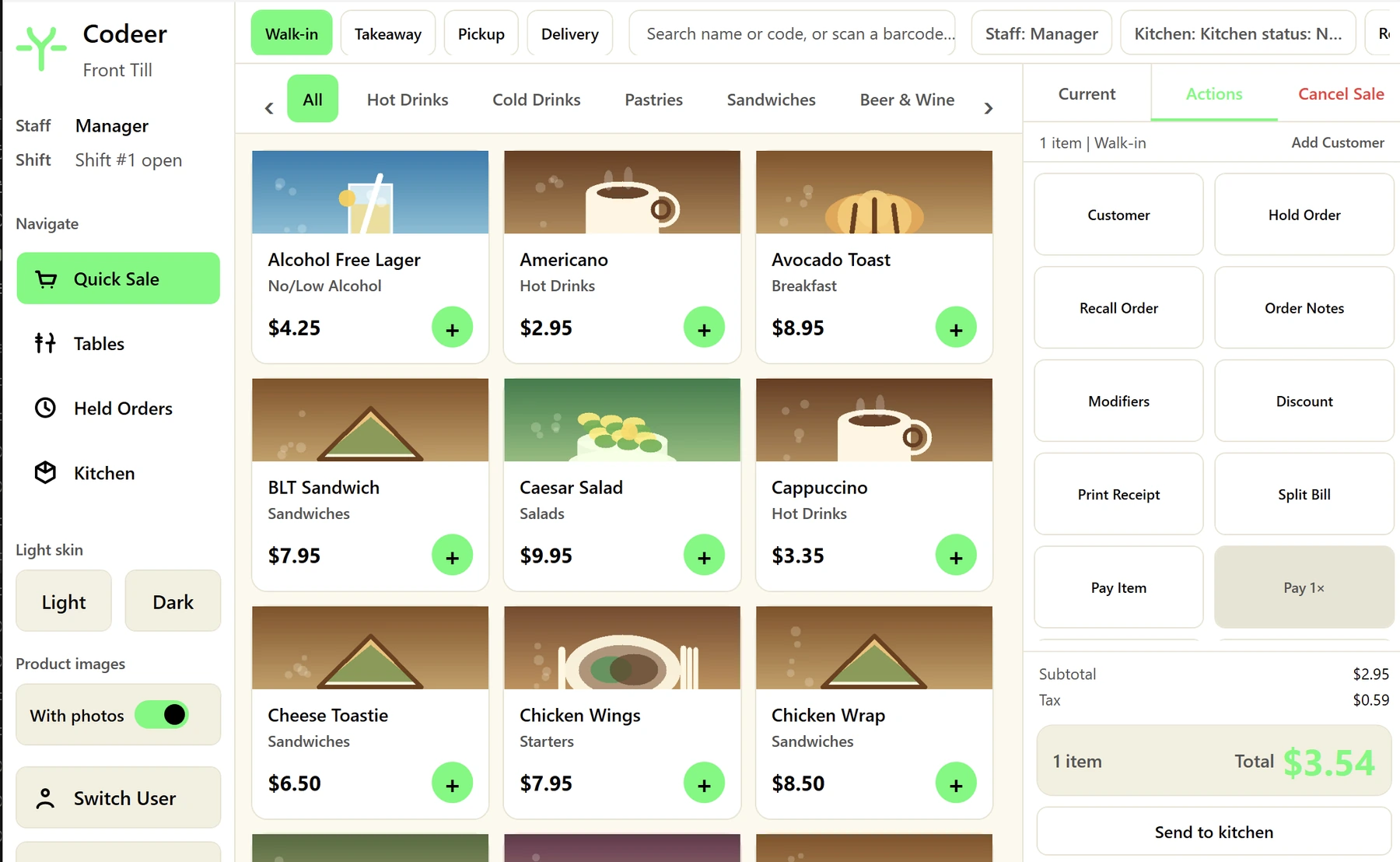
In a trial, open a clearly named table or held order, add a round, leave the screen and recall it. Ask a second staff member to identify the right order. Check that the drinks and balance survive the handover before testing another round.
2. Test split payments with a £15 practice tab
- In a non-trading test, add one pint at £5.60 and two halves at £2.90 each: £11.40. Add a guest-beer half at £3.60: £15.00.
- Ask for a demonstration of £5 cash and £10 card against that tab. Check whether Split Bill divides items, people or payment methods in your version; these are different operations.
- The expected result is no unpaid balance and no duplicate open tab. A card entry on the till is not proof the card terminal took payment: reconcile with the terminal separately.
This is an acceptance exercise, not a claim that these payments were taken in the pictured session. Use the full pub comparison checklist and printable scorecard.
3. Check the close, not just the sales dashboard
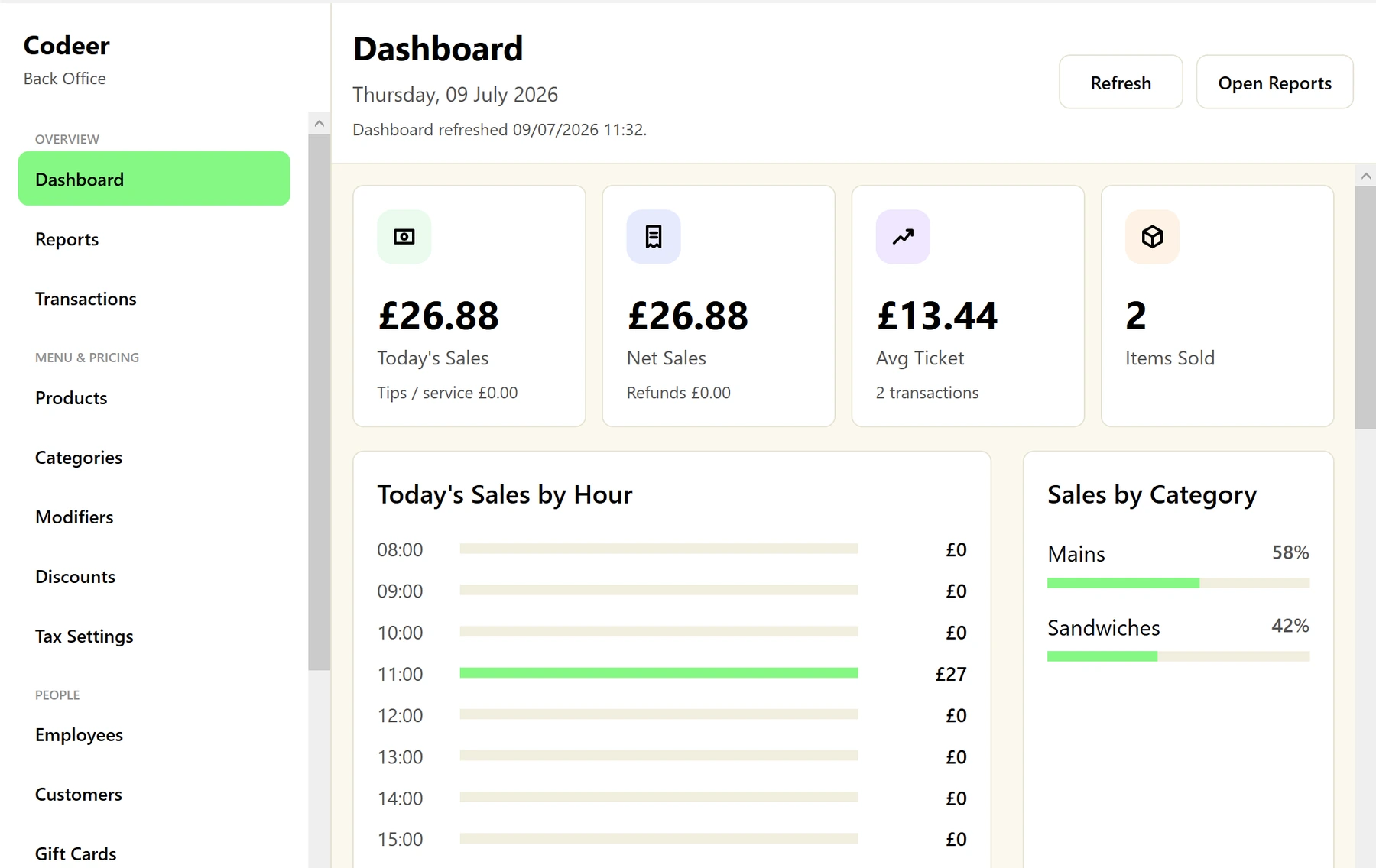
For the practice tab, look for £15 in payments split £5 cash and £10 card. With a £100 opening float and no other cash movements, the expected drawer is £105, not £115. Record actual cash separately and investigate any difference. Open Reports and compare the transaction list, cash-up and terminal totals; a sales dashboard alone does not prove the drawer balances.
Before a live shift: verify permissions, refunds, backup and restore, printer compatibility and card-terminal behaviour on your own equipment. Hardware, card processing and assisted setup are separate from the £0 local pilot. Cloud remains a planned, separately priced upgrade.
Try the free Windows pub EPOS pilot
Still comparing? Read how to choose EPOS for a small pub or how to reconcile the day.